Use filters to search and export
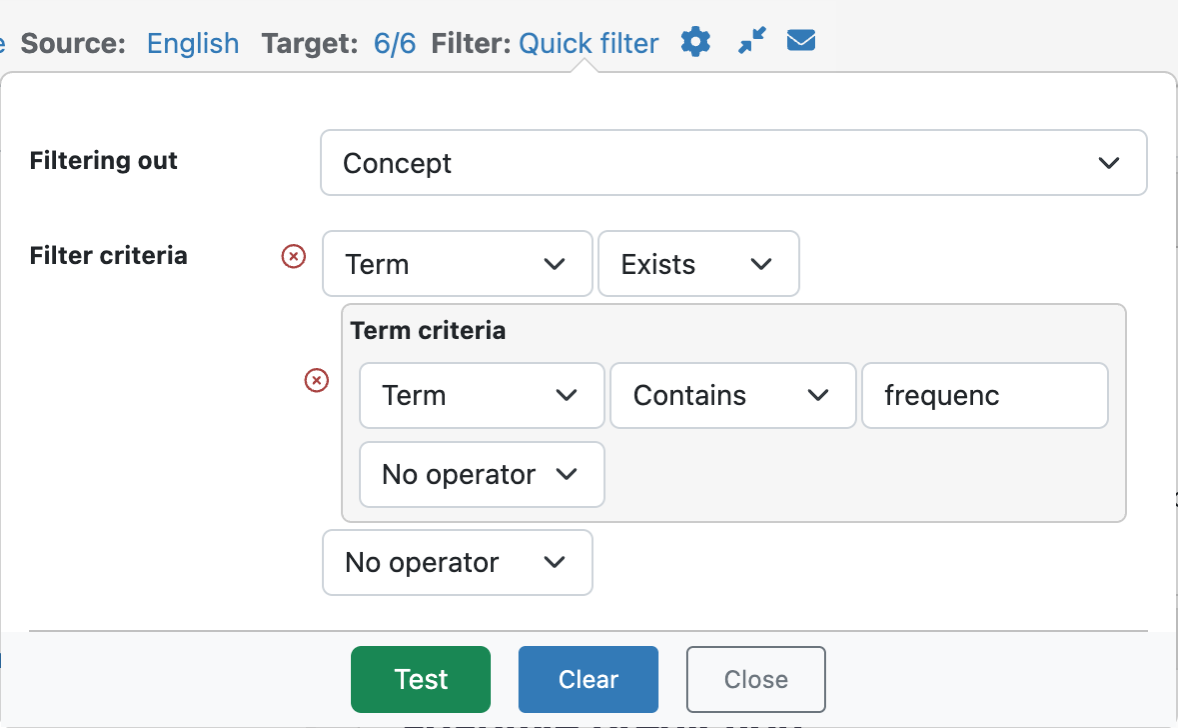
If you want to search for term records or term equivalents that fulfill specific criteria, e.g. all term records that do not have a definition, term records that do not have a term equivalent in a certain language or term equivalents in a certain language with a certain status, you can use the filter function.
| A filter limits the search to the selected dictionary (current main dictionary). |
A Filter can be defined to be private by setting its visibility to Owner and Administrators, or
accessible for a certain group selected in the Visibility dropdown, or to all users.
Only the owner of the filter, or an administrator, can edit or delete a filter.
If an administrator is unable to delete a filter, it is because it is in use (in an export setting or as
a standard filter for a group).
You can use several combinations of conditions in the filter.
You can create a set of filters for a certain dictionary and then select them from the Filter: picklist in the
SearchView menu. Filters can also be applied to Export Settings.
The conditions for the field contents can be set as follows:
-
fields that contain an exact string (typed after “EQUALS” or, if you do not enter a search string, empty fields)
-
fields that contain the string and additional contents (typed after “CONTAINS”)
-
fields that do not contain the string (typed after “NOT CONTAINS”)
-
fields that are not equivalent to a specific string (typed after “NOT EQUALS” or, if you do not enter a search string, fields that contain something; i.e. “not equal to nothing")
-
fields that start with a certain string (typed after STARTS WITH)
-
for certain fields: that fulfill a specific time value, e.g. that were changed before (BEFORE) or after (AFTER) a specific point in time (date and time) or on a specific date (EQUALS), or outside of a specific date (NOT EQUALS)
-
for numeric fields: where the field value EQUALS, NOT EQUALS, is LESS THAN or GREATER THAN a typed-in integer value