BIMA
This document describes the message format for TermWeb Business Integration Message Adapter (BIMA).
BIMA is used for integration of TermWeb with other enterprise systems via a message broker middleware, such as
WebSphere MQ, ActiveMQ, RabbitMQ, Apache Kafka.
BIMA uses the Java Message Service (JMS) standard and Kafka Streams.
Introduction
There are two TermWeb operations that causes BIMA to generate messages: initial transfer (export of term database) and update of term data.
When such an operation occurs, BIMA generates one or more messages and publishes them to the message broker’s
publish/subscribe topics defined in BIMA’s configuration file.
Each message consists of several properties and a message body, which is a XML structure. The properties are useful for
applications when filtering messages to avoid unnecessary XML parsing from the body.
Configuration
-
Copy the sample configuration file BimaAdapter.properties to [TERMWEB_HOME] and edit it as necessary.
-
Edit [TERMWEB_HOME]/termweb.properties and add the following lines to enable loading of BimaAdapter configuration:
adapter.class.1=com.termweb4.bima.BimaAdapter
adapter.config.1=[TERMWEB_HOME]/BimaAdapter.properties
For more information how to configure BIMA you can open full documentation: BIMA manual.
Adapter administration
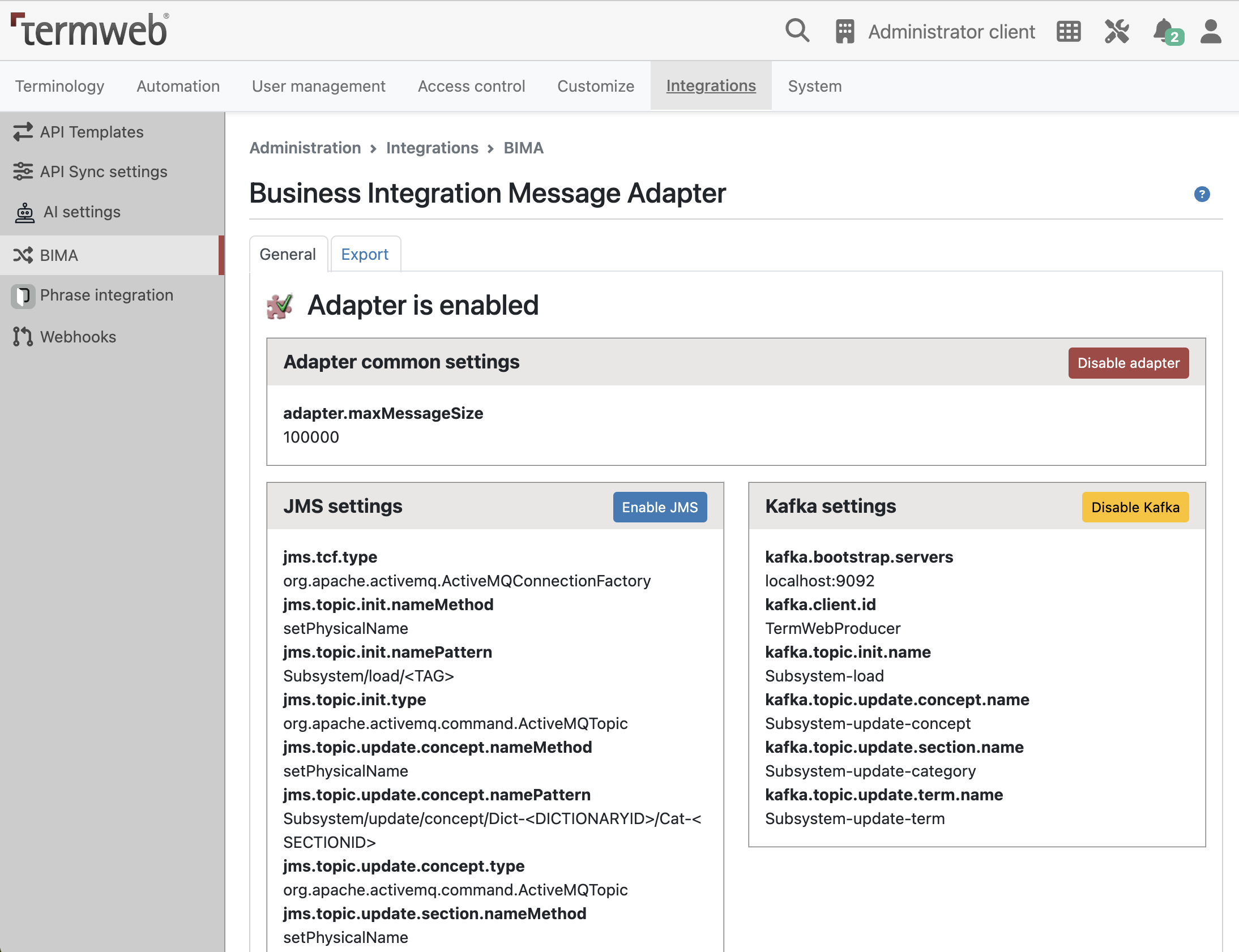
When the adapter is installed in TermWeb an BIMA administration panel is available in TermWeb. Log in as administrator and go to the Admin → Integrations → BIMA. The administration panel opens.
General panel
The general panel allows the adapter to be enabled and disabled. It also allows temporary disable one of the parts JMS or Kafka. Please note that the setting in BimaAdapter.properties is not affected by this control. After restarting TermWeb the adapter will be enabled or disabled according to the value in the properties file.
Information about current configuration is also displayed here.
Export panel
The export panel allows the administrator to do an initial transfer of all or a part of the term data in a dictionary. The selection of concept, terms and fields are based on regular Export settings used for normal exports.
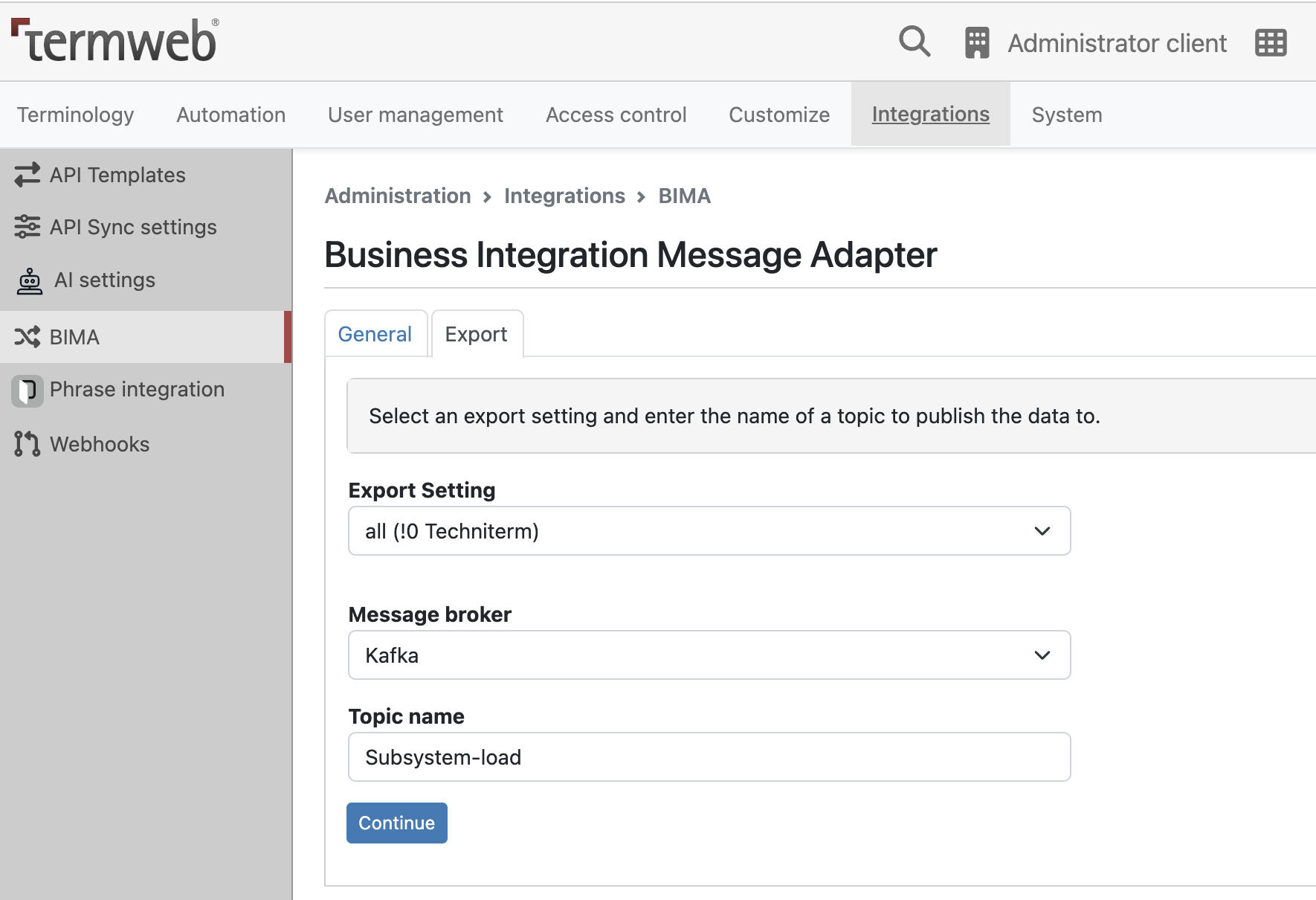
Select settings and topic
Start by selecting one of the available export settings. If no setting is appropriate for your needs, you can click the “Create export setting" link which opens the Export settings panel and lets you define a new setting. Save the setting and then select the BIMA administration icon again in the go to the Admin → Integrations and select the newly created setting.
Continue by entering a name of the topic to which the data should be published. Choose type of message broker configured in adapter (JMS or Kafka)
Click on the “Continue" button.
Confirm your selection
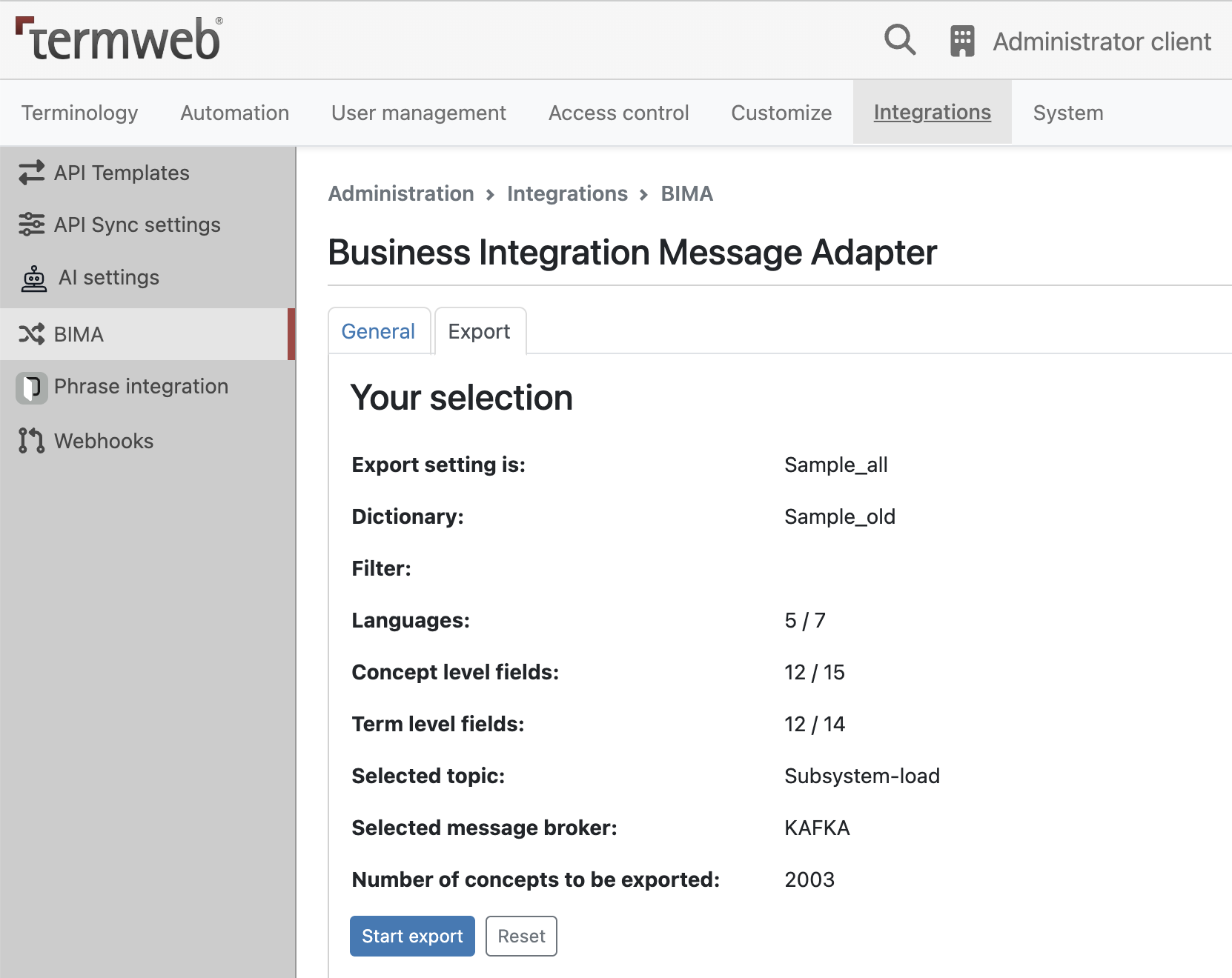
Your selected export setting is now displayed in detail with languages, fields and total number of concepts that
will be published when using this setting. By moving your mouse pointer over the language and field summary you
will see a list of all languages and fields included.
If this is the data you expected, click the “Start export" button to start publishing the messages. Otherwise, click the “Reset" button to go back and select another export setting and/or topic name.
Export progress
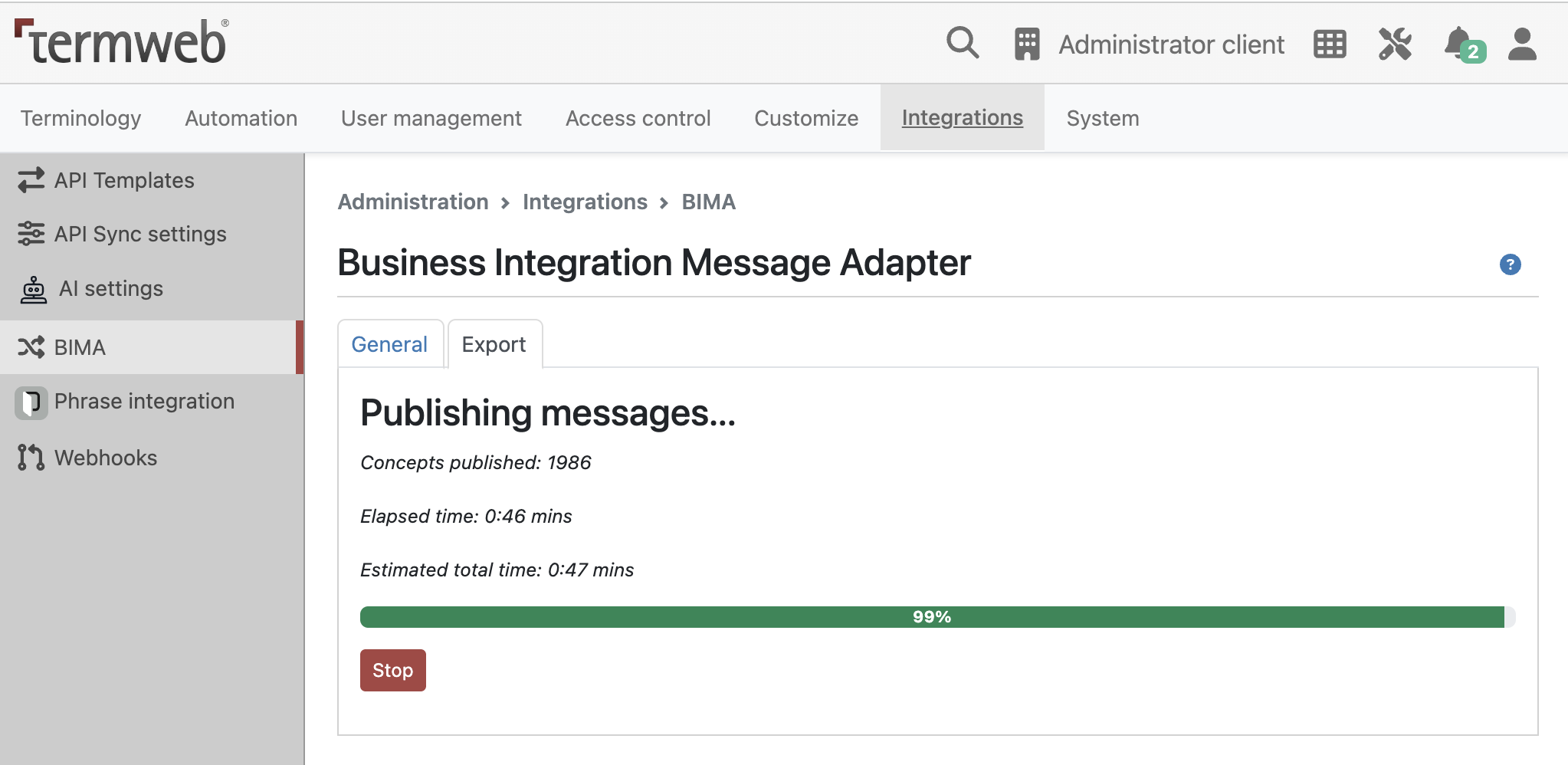
The selected concepts are now retrieved from the database, converted to XML segments, and published to the selected topic.
For details about the message format, see section Message structure below.
A progress bar indicates how much of the export is completed. The elapsed time and an estimation of the total time is also given.
You can stop the export by pressing the Stop button. Please note that this may cause receiving systems to only get parts of the data intended.
Export summary
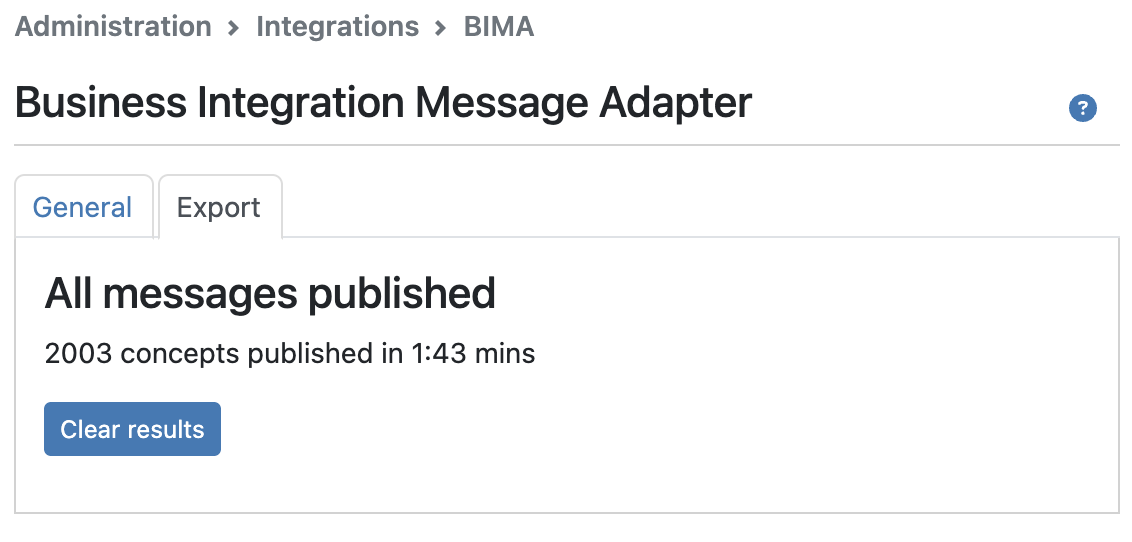
When the export is done, or if the export was stopped by the user, a summary is displayed with the total
number of concepts published, together with elapsed time.
Message structure
Message properties
The following specific properties are defined in a JMS message or as header in Kafka’s record:
| Property | Type | Description | Possible values |
|---|---|---|---|
|
String |
Contains the oid of the dictionary that contains the object described in this message |
Any string |
|
String |
Contains the oid of the section that contains the object described in this message. |
Any string |
|
String |
Contains the new section oid when the section was changed for Concept, otherwise null. |
Any string |
|
String |
Contains the old section oid when the section was changed for Concept, otherwise null. |
Any string |
|
String |
Identifies the type of data entity that is contained in this message. |
Is one of:
|
|
String |
Identifies the type of action that was performed on the data. |
Is one of:
|
|
String |
Identifies the type of transmission. |
Is one of:
|
|
Boolean |
Identifies if the message was generated in a restore operation in TermWeb. |
|
Initial transfer
During an initial transfer (described in Adapter administration above) BIMA will create a message
(or several messages if the message is larger than the maximum message size specified in the config file)
for each section in the dictionary being exported. The TransmissionType in the message is set to INITIAL.
DictionaryId and SectionId are set to their respective values. All other properties are set to null.
The body of the message is an XML structure containing all the concepts being exported from the section, which could be none if the export setting’s filter does not include any concept from this section.
Update transmissions
An update transmission occurs when some term data is updated in TermWeb. This is done by either renaming or deleting a section, creation, modification, or deletion of concepts, or by importing a file. BIMA then creates one or more messages and publishes them to the broker.
Section updates
Messages caused by section updates are published to the section update topic(s) defined by jms.topic.update.section.namePattern or by kafka.topic.update.section in the config file. All messages have DataType set to SECTION.
If a section is renamed a message is published to the topic with DataAction set to UPDATED.
The XML in the body consists only of the dictionary and section. The new name is found in the “name" attribute of the section tag.
If a section is deleted a message with DataAction set to DELETED is published. Only dictionary and section in the XML.
See Example messages for more detailed information.
Term data updates
For every change there will be a message for the entire concept together with a message for each affected term. There is therefore a redundancy in the messages since the data in the term messages also are included in the concept message.
Concept messages are published to the concept topic(s) defined by jms.topic.update.concept.namePattern or by kafka.topic.update.concept in the config file. Term update messages are published to the topic(s) defined by jms.topic.update.term.namePattern or by kafka.topic.update.term.
The subscribing client applications can thus select the most appropriate data structure.
In the group of messages, the concept message has DataType set to CONCEPT, an appropriate value set for DataAction and the body is the XML for the entire concept. Each term message has DataType set to TERM, a DataAction value as appropriate and the XML structure for the term.
When importing a file there will be a series of messages, just like if every concept was created or modified manually. The messages will be sent to the broker when the import of the file is completed.
Term data updates
The messages generated from the different kinds of updates are as follows.
Creation of a new concept
One message for the entire concept, and one message for each term in the concept. All have DataAction set to CREATED.
Deletion of a concept
One message for the entire concept, and one message for each term in the concept. All have DataAction set to DELETED.
Modification of a concept
One message for the entire concept with DataAction set to UPDATED.
For every term that has been created, there is a message with the term data and DataAction set to CREATED.
For every term that has been deleted, there is a message with the term data and DataAction set to DELETED.
If any term field except the term name or language has been modified, there is a message with the term data and DataAction set to UPDATED.
If the term name or language has been changed, the old term is considered to have been deleted and a new one created. Therefore, this will create two messages: one DELETED and one CREATED.
If any field on the concept level has been modified, a message with DataAction UNMODIFIED is generated for every term that has not already generated a message with DataAction UPDATED, CREATED or DELETED. Subscribing systems can then determine if some action needs to be taken with the data.
If the section has been changed, the concept is considered to have been deleted and new one created. The messages for the deletion are published to the old section’s topic and the creation messages are published to the new section’s topic.
XML structure
The XML structure for the messages is like the structure of a TermWeb XML export file and is described in TermWeb_BIMA.dtd, see it on full documentation page
Message example:
<dictionary id="8" name="Automotive terms">
  <section id="16" name="Headings">
    <concept id="4116633" termno="430">
      <metadata>
        <createdOn>1999-05-12 03:12:54</createdOn>
        <createdBy>admin</createdBy>
        <changedOn>2004-10-04 13:53:27</changedOn>
        <changedBy>admin</changedBy>
      </metadata>
      <field name="Domain">All domains</field>
      <field name="Origin">Termlex</field>
      <field name="Term No.">430</field>
      ...
      <term>
	<metadata>
	  <createdOn />
	  <createdBy />
	  <changedOn>2004-10-04 13:53:22</changedOn>
	  <changedBy>admin</changedBy>
	</metadata>
        <field name="Term">Lubrication, injection pump</field>
        <field name="Language">en-GB</field>
        <field name="Region"/>
        ...
      </term>
      <term>
      ...
      </term>
      ...
    </concept>
    ...
  </section>
  ....
</dictionary>
As previously stated, there are one message containing the entire concept and one for each term affected for every term data update. The XML structure in a update concept message contains exactly one <concept> tag with corresponding content, for initial transfer it may have multiple concepts. For a term message, the body contains exactly one <term> tag with content.
The Status field of the concept level is also included in every term message before the <term> tag (messages which are sent to: to the topic(s) defined by jms.topic.update.term.namePattern or by kafka.topic.update.term), by default messages about terms in this topic don’t contain Concept fields, but Status will be present anyway:
<dictionary id="97qjc" id4="41" name="Sample new">
    <section id="97qk5" id4="1318" name="Sample new">
        <concept id="98dve" id4="1005635">
            <metadata>...</metadata>
            <field name="Status">Approved</field>
            <term id="98dvg" id4="2326755">...</term>
        </concept>
    </section>
</dictionary>
Kafka integration
Integration for Kafka is using the same message structure. By default, all messages serialized as JSON strings. XML part of message will be stored in records value.
For initial transmission key will be 1-100, where 1 and 100 sequential position number of first and last element in message.
Numbering starts with 1.
For update transmission key will be S1234, C1234 or T1234 depending on type of message. S1234 is for Section, C1234 is an id for Concept and T1234 id for Term. In case of Section change for Concept BIMA will create two messages with same key, but different DataAction: DELETED and CREATED.
See Example messages for more example.