Statistics
The Statistics page is used to display server run time and usage statistics for the TermWeb installation. To access the Statistics page, proceed as follows:
-
Go to Administration → System → Statistics.
-
For usage details regarding a certain day, click Details on the corresponding line.
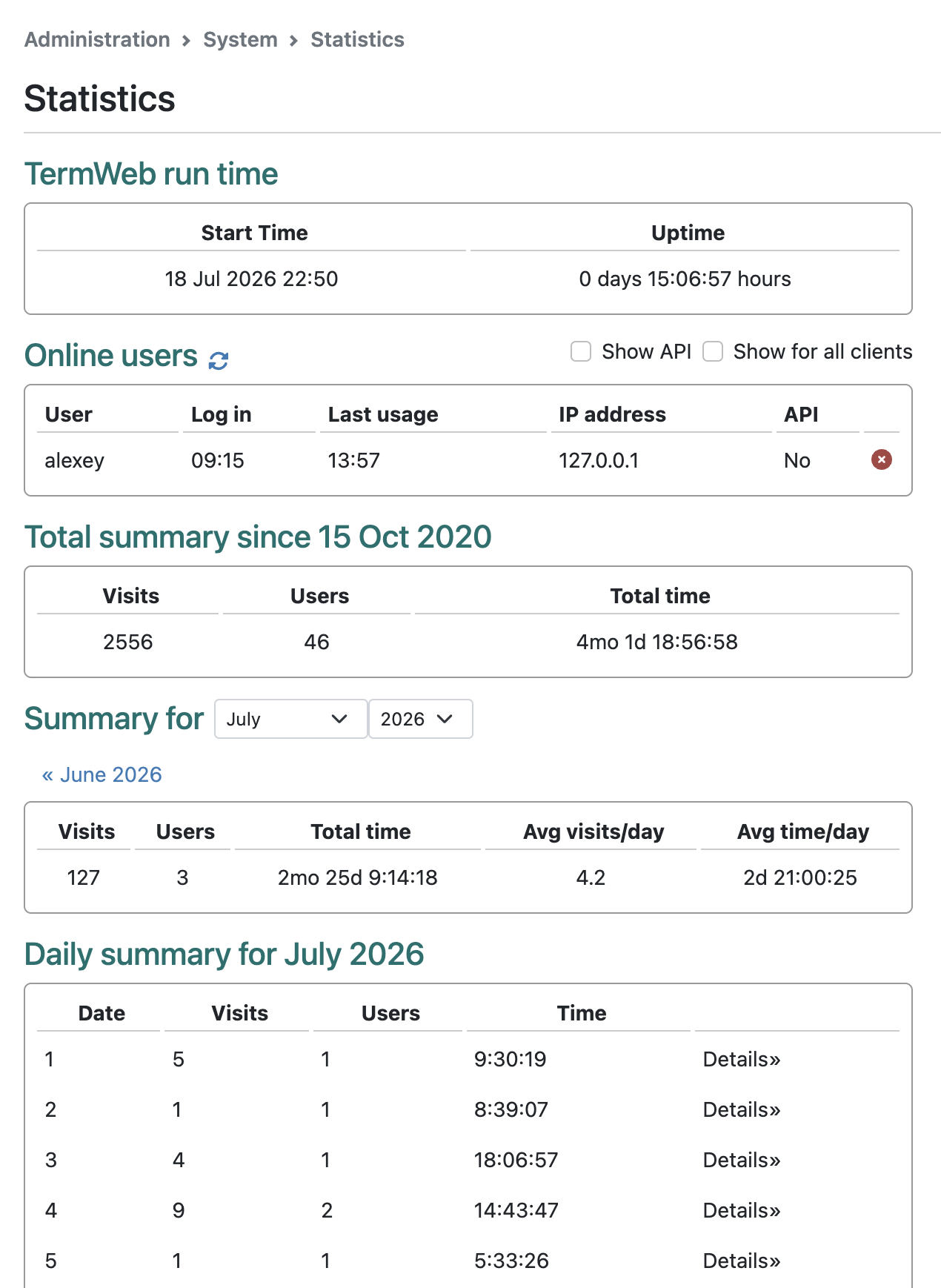
To show statistics for another month, click the name of month previous to following the currently displayed month.
A summary for each month is shown according to your computer’s time zone.
When System administrators are accessing the Statistics page of multitenant servers there will be an option to see a summary of statistics for all Clients.
Client administrators and System administrators can end user sessions by clicking on the red round x-icon.
Also, administrator can show amount of API requests to TermWeb done by every user by clicking on Show API.