Groups
The Groups page shows all User Groups in the TermWeb client.
TermWeb currently supports four types of User groups:
-
All users
-
Guests
-
Language Groups
-
API group
-
Mormal groups
Group membership is specified under the Group Members menu item.
Permissions for User groups is set in Permission Schemes, defining a set of rights for the user groups and then assigning this permission scheme to the desired dictionary or section.
Default User Groups
On creation, a TermWeb client always contains a All users and Guests User group. The "All users" group automatically contains all named users for the purposes of permissions and notifications. The "Guests" User group can be used to apply permissions for the Guest users. Renaming the "Guests" User group will rename the group for the purposes of Statistics and Permission Schemes.
Neither the "All users" or "Guests" group can be deleted.
API group
Servers with the api.autocreate.users setting enabled via termweb.properties, will have users who are automatically created via API added to a API enabled User group. If the User group doesn’t exist yet, it will be created when the first user is created. The User Group’s name can be configured via the api.default.user.group in termweb.properties. By default this group is called "API".
Language groups
Language groups are created by editing a dictionary on the Dictionaries and editing a language. An empty checkbox should appear to allow the creation of the specified language group unless it already exists. Language groups can be assigned to receive notifications for the purposes of Workflows.
(See also the section on using language groups)
Add a group
-
Click Groups.
-
Click New Group.
-
Indicate the name of the user group, description, the desired automatic logout after inactivity period Session timeout (if differing from the default, which is normally 30 minutes), and any view or filter that is to be applicable for the group.
Filter and view can be set individually for each dictionary.
For TermWeb installations with the API add-on product installed, you can choose if you want the users within the group to be able to access TermWeb via the API by using the Allow API access checkbox.
If you want the group members to change their passwords at regular intervals, i.e. you want to set a maximum password age, you can also specify a Change password interval here.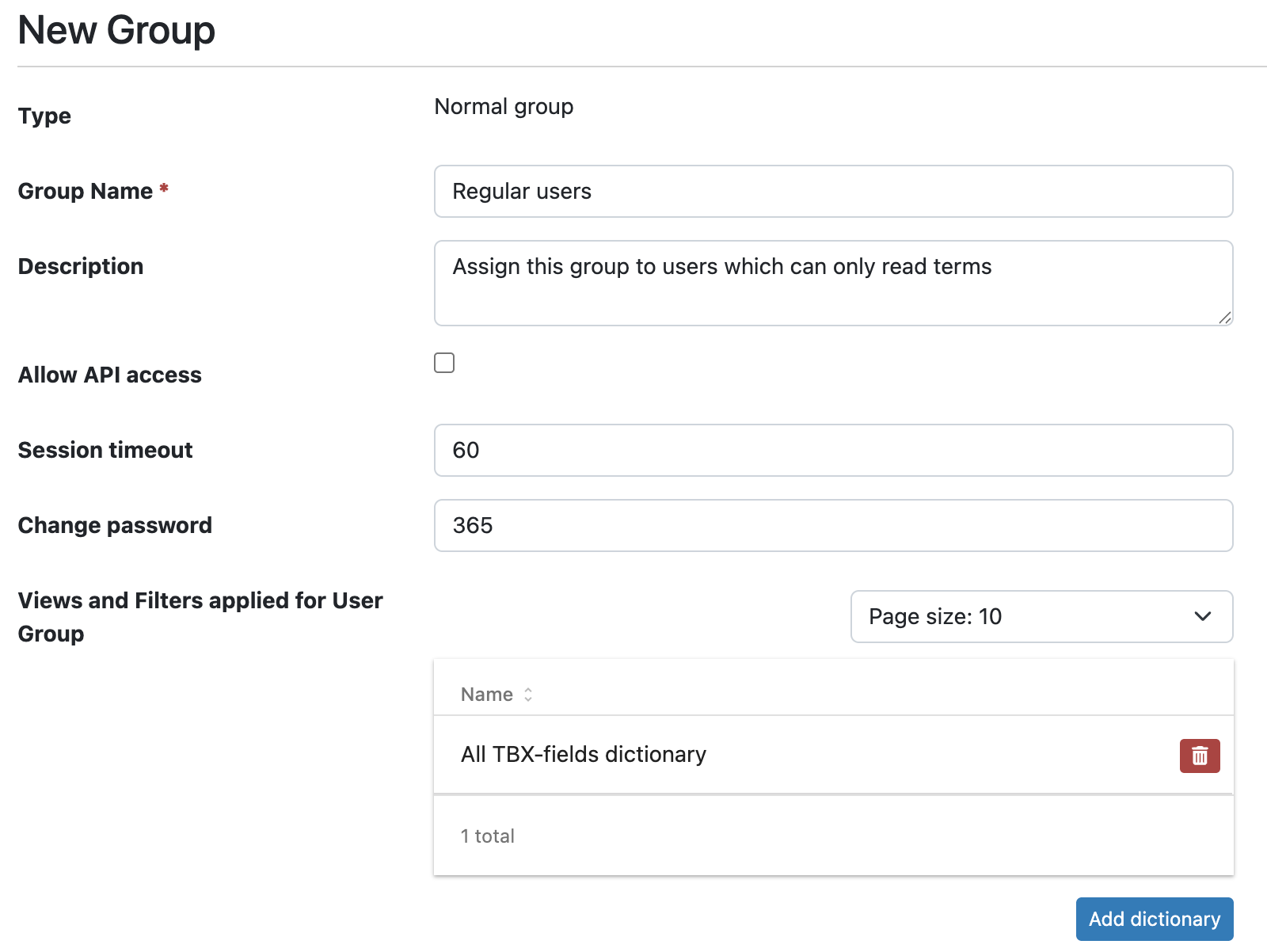 If a user is a member of several groups, the lowest value among the groups is applied for the
user.
If a user is a member of several groups, the lowest value among the groups is applied for the
user.
Views and Filters are defined under Views and Filter applied for User Group.
First you need to add Dictionary for which you want to specify View or Filter. Then under list of dictionaries you may find expandable panel with added Dictionary name, where you specify required property.
By default, no views or filters are applied. -
Click Save Group.
Change information about group
-
Click Groups.
-
Click the user group’s name.
-
Change the name, description, session timeout, and, if desired, password renewal interval and any filter and view (or views) (per dictionary) that are applicable to the group. An example:
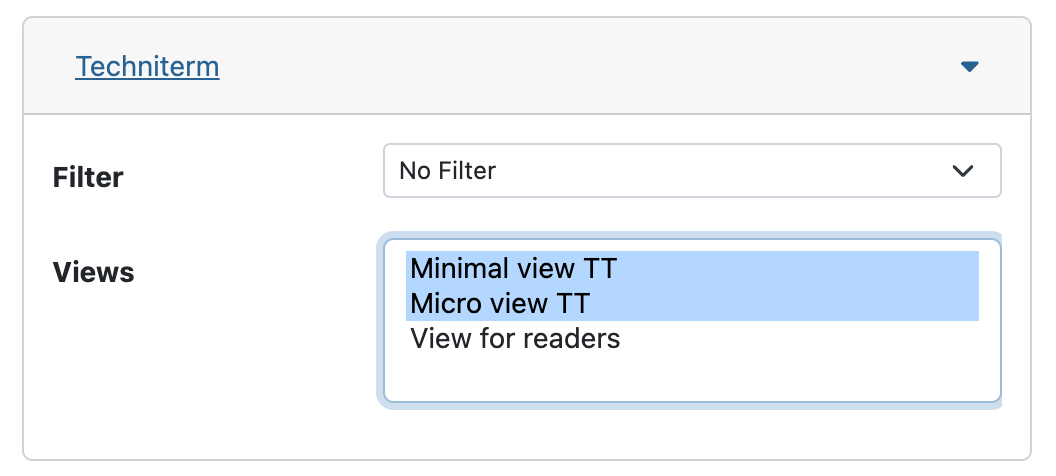
Here, no initial filter, but the view "Minimal view TT" is selected for the current group and the "TechniTerm" dictionary. To deselect a filter, select "No filter".
To deselect one or more views, Ctrl-click the currently selected view or views. If you want more than one view to be selectable by the users in the group, select these views by Ctrl-clicking. -
Click Save Group.