Overview
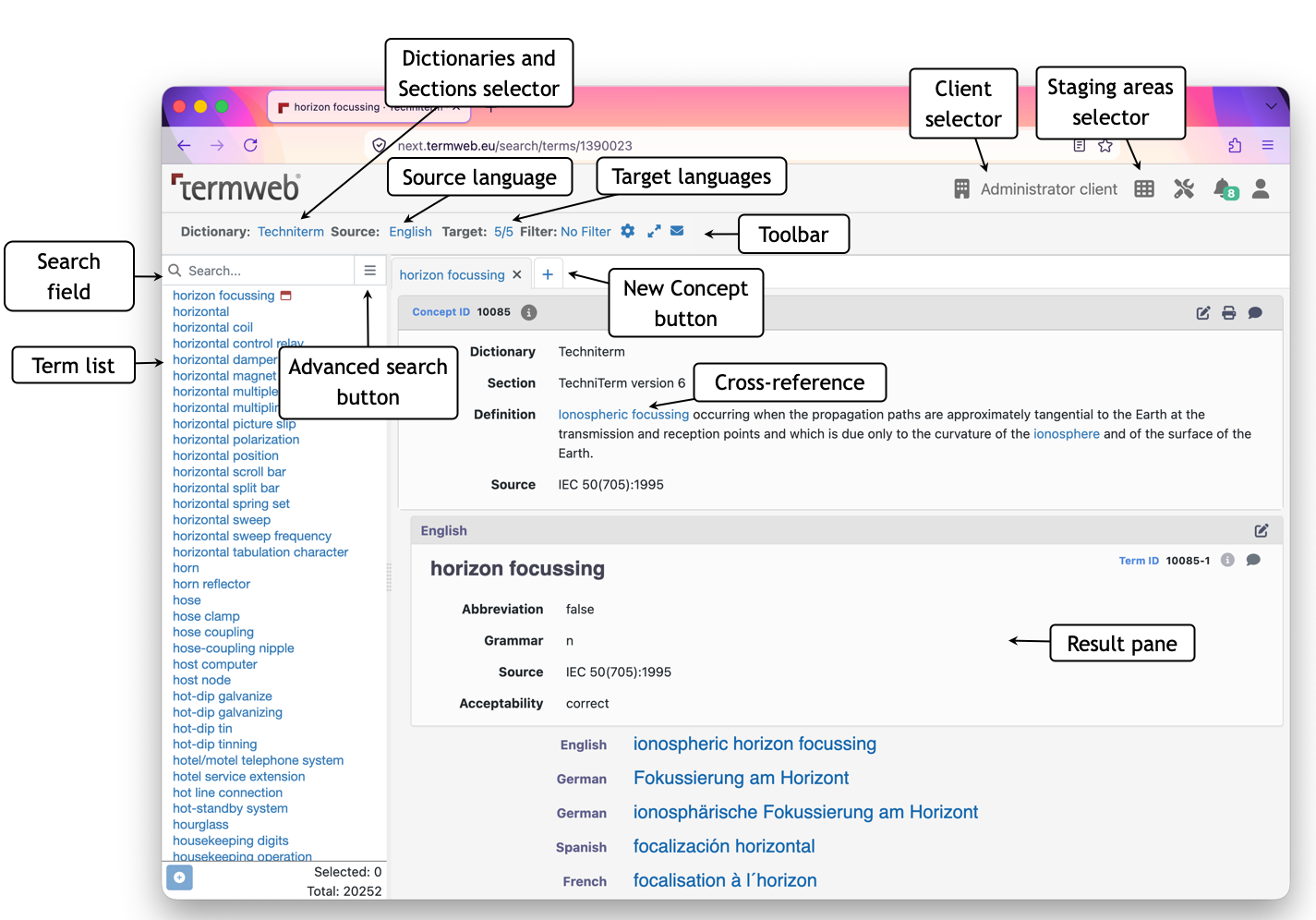
The number of terms in the current source language (possibly filtered) term list is shown at bottom of the list. When complex filter or search options is applied TermWeb won’t show exact number of search results, to see actual number you need to scroll to the bottom of search results.

Set the source language, target language and how much you want to view in the result pane
If you want to find a term in a language other than the current source language, then select the desired source language from the dropdown in the Source field.
You can also limit the results shown to one target language.
Click the box beside Target above the result pane and choose the desired target language.
If you would like all languages to be displayed, choose All languages in the Target box.
To specify how much term information is shown for each language in the dictionary:
Click on Custom view and choose which languages should be shown along with the level of
detail you want for each language (i.e. the term only or all term information).
Using one of the Select all links, you can choose to show all language terms expanded or collapsed or hide all languages. Please note that the term in focus will always be displayed expanded (with maximum term information as defined by the view applied to the user’s group). Then choose Custom from the Target dropdown.
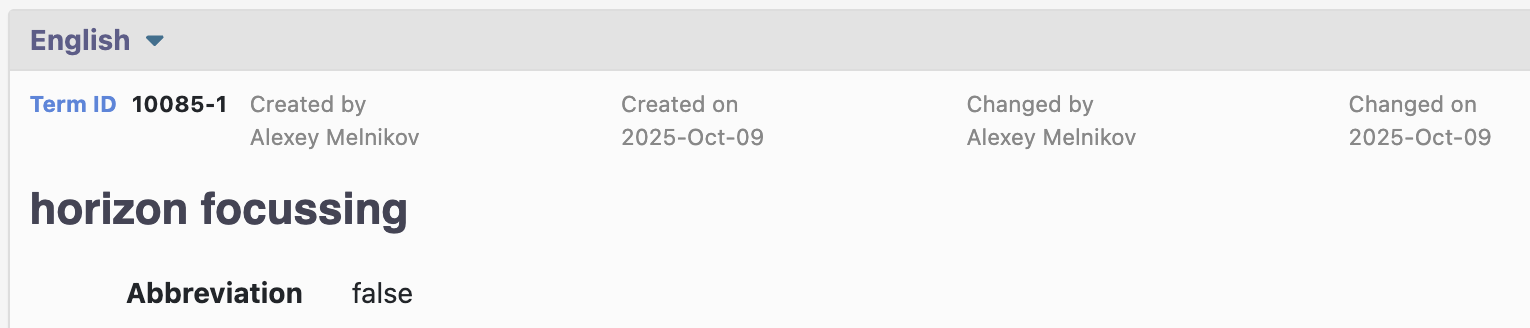
If you (are authorized and) would like to display the concept’s history (information about when
and by whom the term record was created and changed), click  (previously Settings) and check the Show history box. Deselect the Show history checkbox when you want
to hide the information.
If you would like another date format displayed (the default is the ISO format YYYY-MM-DD),
click the cogwheel icon Show dates as dropdown.
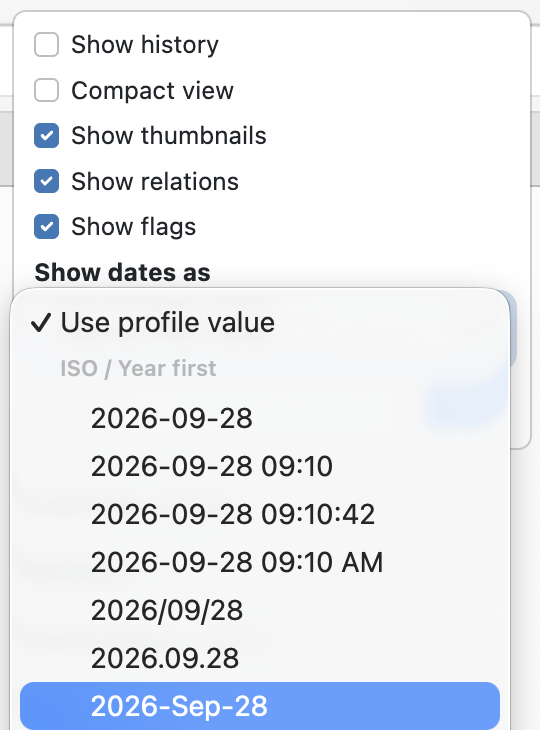
Then, in the example, date fields as well creation date and change date metadata will be displayed in the selected date format:
| The administrator can also specify which fields are displayed for each user, e.g. which level of information is shown. A single term record can thus be displayed differently depending on which user is logged in. |